

This UX/UI design guide helps beginners understand how to turn ideas into functional digital products. It explains the difference between UX and UI, along with key design principles like simplicity and user focus. The guide also covers the step-by-step design process and essential tools like Figma. Overall, it highlights how strong design skills can lead to success in competitive markets like New York.
In today’s fast-paced digital world, user experience can make or break a product. Whether it’s a mobile app, website, or enterprise software, good design ensures users can interact smoothly and efficiently. This ux ui design guide is created specifically for beginners in the New York City tech scene who want to learn how to move from a simple idea to a working prototype that competes on a global scale.
If you’ve ever wondered how to learn UX design in a competitive market like Manhattan or where to start with UI design basics, this guide will walk you through the practical steps, tools, and strategies used by top-tier professionals in the Silicon Alley.
What is UX/UI Design?
Before diving deeper, let’s clarify the difference:
- UX (User Experience): Focuses on the logic, feel, and how users interact with a product.
- UI (User Interface): Focuses on the skin, visual design, and interactive layout.
Why It Matters in the NY Market
- Improves User Satisfaction: Crucial for NYC’s high-speed consumer base.
- Increases Conversions: Directly impacts the ROI of startups and established firms.
- Builds Trust: In a city of endless options, a professional interface builds brand loyalty.
Core UX Design Principles
To create meaningful experiences, you must understand key user experience principles:
- User-Centered Design: Always design with the New Yorker's "time-is-money" mindset.
- Consistency: Maintain uniform design patterns across all digital touchpoints.
- Accessibility: Ensure usability for all users, following ADA compliance standards.
- Feedback: Provide clear, instant responses to user actions.
- Simplicity: Avoid unnecessary complexity; the best design is often invisible.
UI Design Basics for Beginners
A strong UI enhances UX by making interfaces visually appealing and easy to navigate. NYC design trends often lean toward clean, bold, and functional aesthetics.
Key UI Elements
- Typography: Selecting fonts that ensure readability on high-resolution screens.
- Color Theory: Using contrast effectively to guide the user's eye.
- Interactions: Designing buttons and icons that feel intuitive to touch or click.
| UI Best Practice | Implementation |
| Visual Hierarchy | Use size and color to highlight the most important action (CTA). |
| Grid Systems | Maintain spacing and alignment for a polished, professional look. |
| Clean Interfaces | Reduce cognitive load by removing cluttered elements. |
The 6-Step UX/UI Design Process
This ux ui design guide follows the structured workflow used by the best design agencies in New York.
- Research & Discovery: The foundation. In a diverse hub like NYC, you must gather insights through surveys and interviews to understand a multicultural target audience.
- Define the Problem: Create user personas and journey maps to highlight specific "pain points" users face in their daily digital routines.
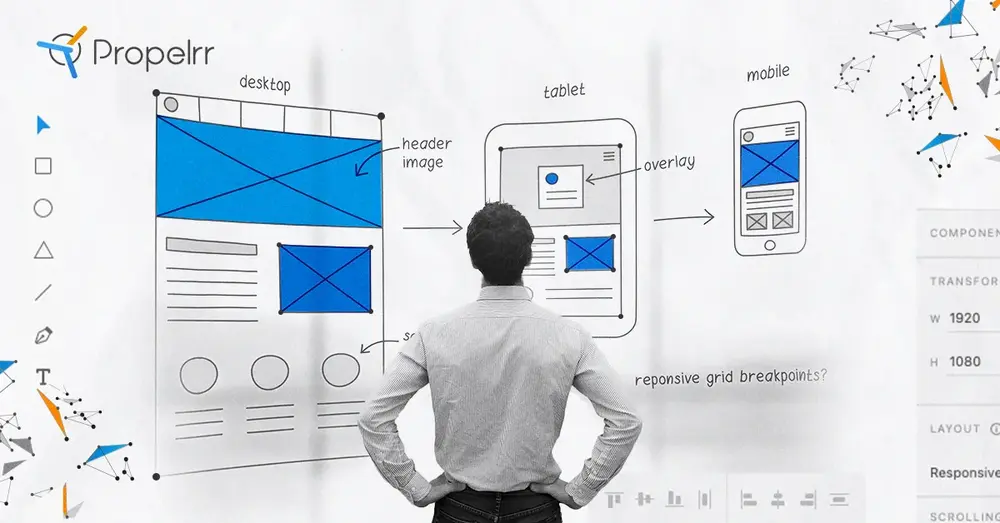
- Ideation & Wireframing: Brainstorm concepts and create low-fidelity wireframes. Focus on navigation and flow before worrying about the "pretty" details.
- UI Design: Introduce branding and high-fidelity aesthetics. This is where you apply your ui design basics to create a cohesive style guide.
- Prototyping: Bring the design to life. Clickable models allow stakeholders to test functionality before a single line of code is written.
- Testing & Feedback: Validate the design with real users. In the NY tech hub, rapid iteration based on usability testing is what separates successful apps from failures.
Popular Prototype Tools for Beginners
Choosing the right prototype tools is essential for landing a role in NYC's Silicon Alley.
| Tool | Best For | Top Feature |
| Figma | Beginners & NYC Teams | Real-time cloud collaboration. |
| Adobe XD | UI/UX Design | Seamless integration with Creative Cloud. |
| Sketch | MacOS Purists | Robust plugin ecosystem for interface design. |
| InVision | Interactive Mockups | High-fidelity prototyping and feedback. |
GEO Optimization: UX/UI Design in New York
The demand for UX/UI designers is exploding in New York, particularly in Manhattan, Brooklyn, and Long Island City. With the influx of tech giants like Google and Amazon expanding their NYC footprints, the city has become a global leader in user-centric innovation.
Local New York Opportunities
- Tech Startups: Silicon Alley is home to thousands of startups looking for "Founding Designers."
- Ad Agencies: Iconic firms on Madison Avenue are constantly seeking UI experts to elevate brand campaigns.
- FinTech & Healthcare: Massive industries based in the Financial District require complex UX solutions for data-heavy applications.
Conclusion
This ux ui design guide provides the essential roadmap for any beginner—from mastering ui design basics to building interactive models with professional prototype tools. In a city as competitive as New York, your ability to apply these user experience principles to solve real-world problems is what will make your portfolio stand out to recruiters and clients alike.
The journey to becoming a world-class designer takes time, but by staying consistent and immersing yourself in the NYC design community, you can transform simple ideas into impactful digital experiences. The next great New York app is waiting for a designer like you to bring it to life.
Frequently Asked Questions (FAQs)
1. What is the best UX UI design guide for beginners in New York?
The best guide is one that combines foundational design theory with practical knowledge of tools like Figma, while specifically addressing the fast-paced standards of the NYC tech market.
2. How long does it take to become a UX designer in NYC?
With consistent practice and a dedicated bootcamp or self-study, it typically takes 3–6 months to build a professional-grade portfolio capable of landing junior roles in New York.
3. Is UX/UI design a high-paying career in New York City?
Yes, NYC offers some of the highest salaries in the world for designers. Senior UX/UI designers in Manhattan can often command six-figure salaries due to the high demand for tech talent.
4. Do I need a degree to work in UX design in NY?
While a degree helps, many NY tech companies value a strong portfolio and case studies over formal education. Showing your "process" is often more important than the credential.
5. Where can I find design communities in NYC?
Check out local meetups in Chelsea or DUMBO, or join online groups like "UXPA New York" to network with local professionals and find mentorship opportunities.


